Essential Guide to Professional Conference Room Setup for 2026
In this article

Essential Guide to Professional Conference Room Setup for 2026
A professional conference room setup is the foundation of effective corporate communication. In 2026, the physical meeting space must integrate seamlessly with digital workflows to ensure that every participant, whether local or remote, can contribute equally. A well-planned conference room setup focuses on three core pillars: high-quality audio-visual hardware, ergonomic furniture placement, and intuitive software integration. By prioritizing these elements, organizations reduce technical friction and foster an environment conducive to decision-making and creative problem-solving.
To achieve an optimal conference room setup, IT managers must evaluate the specific dimensions of the room. Small huddle rooms require wide-angle cameras to capture everyone in tight spaces, while large boardrooms necessitate multiple microphones and PTZ (Pan-Tilt-Zoom) cameras to track active speakers. Proper cable management and centralized control panels are also vital components, as they allow users to start meetings with a single touch, preventing delays caused by troubleshooting connections.
Technical Components of a Modern Conference Room Setup
The hardware selected for a conference room setup determines the clarity of the interaction. High-definition displays are mandatory, but their placement is equally important to avoid glare and ensure visibility from all seating positions. Modern setups often utilize dual-monitor configurations: one screen dedicated to the video gallery of remote participants and the other for shared content or presentations. This division helps maintain a human connection while focusing on the data being discussed.
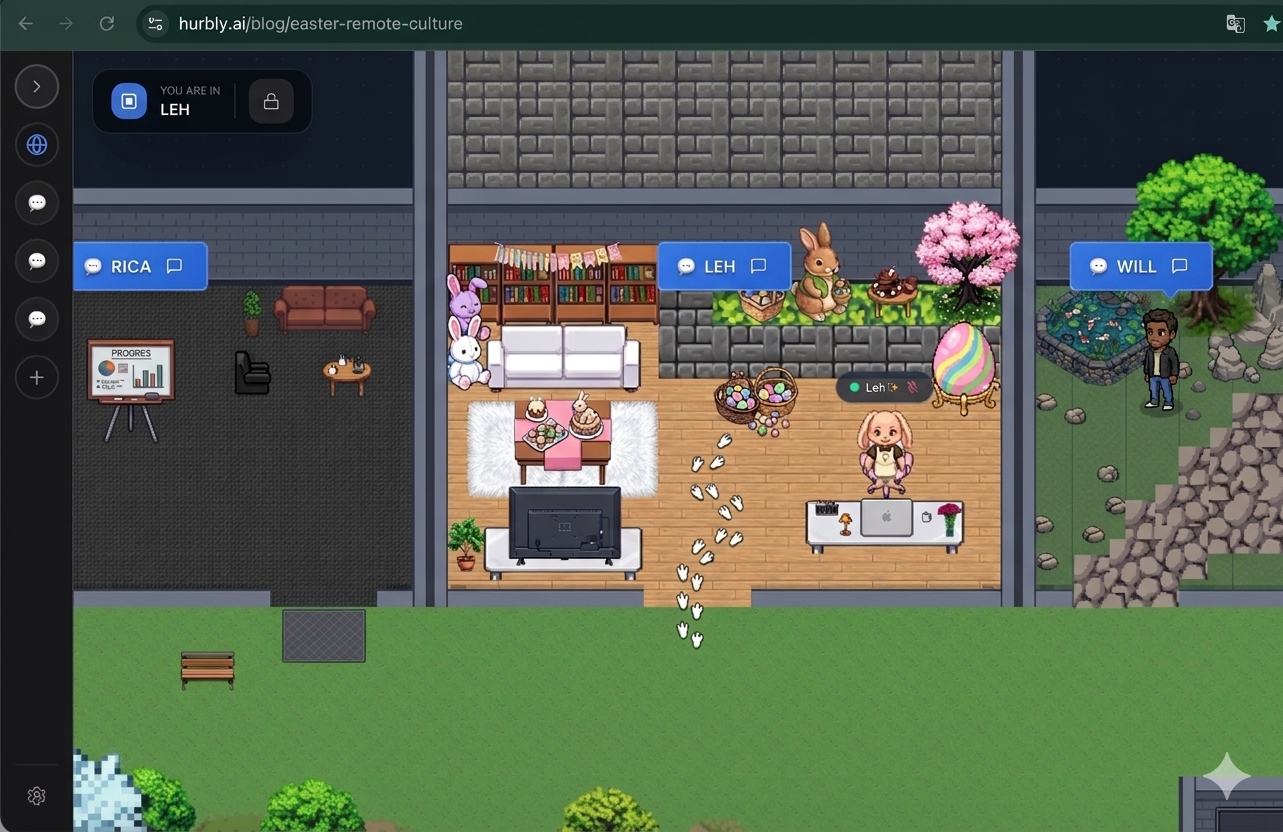
Audio quality is often more critical than video in a conference room setup. If participants cannot hear clearly, the meeting loses its purpose. Implementing ceiling-mounted microphone arrays or tabletop "puck" microphones with acoustic echo cancellation ensures that voices are captured accurately without background noise. Furthermore, integrating tools like Hurbly.ai into the team's workflow allows members to see who is currently occupied in these physical spaces, bridging the gap between the physical office and the virtual presence of remote staff.
Optimizing the Conference Room Setup for Hybrid Collaboration
Hybrid work models require a conference room setup that treats remote employees as if they were in the room. This concept, often called "meeting equity," involves placing cameras at eye level so that remote viewers feel they are making eye contact with their colleagues. Additionally, the conference room setup should include interactive whiteboards or digital annotation tools that sync in real-time with the software used by off-site team members, ensuring everyone can brainstorm simultaneously.
Lighting plays a significant role in the effectiveness of a conference room setup. Natural light is preferable for mood, but it can cause shadows or wash out video feeds. Professional setups utilize diffused LED lighting positioned in front of the participants to ensure clear facial visibility. When the physical conference room setup is paired with a virtual office platform like Hurbly.ai, the entire organization gains transparency, as the platform displays real-time availability and meeting status, preventing unnecessary interruptions during important sessions.
Strategic Furniture and Layout for Conference Room Setup
The physical layout of a conference room setup influences how people interact. A traditional rectangular table is standard for authoritative meetings, but U-shaped or modular configurations are increasingly popular for collaborative sessions. These layouts ensure that everyone has a clear line of sight to the main display and the camera. Ergonomic chairs are also a necessary investment in a conference room setup to maintain comfort during extended strategy sessions, directly impacting the focus and productivity of the team.
| Feature | Small Room Setup | Large Boardroom Setup |
|---|---|---|
| Camera Type | Wide-angle / Fixed | PTZ with Auto-tracking |
| Audio Solution | All-in-one Soundbar | Distributed Ceiling Mics |
| Display | Single 55" - 65" | Dual 75"+ or Projector |
| Seating Capacity | 2 to 5 people | 10 to 20+ people |
| Primary Goal | Quick syncs / Huddles | Formal presentations / Voting |
Effective acoustic treatment is another overlooked aspect of the conference room setup. Hard surfaces like glass walls and tile floors cause sound to bounce, creating echoes that degrade audio quality for remote listeners. Adding acoustic panels, carpets, or specialized curtains to the conference room setup absorbs these reflections, resulting in crisp, professional sound.
Maintaining and Scaling Your Conference Room Setup
Consistency is key when deploying a conference room setup across multiple office locations. Using standardized equipment allows employees to move between rooms or branches without needing to learn new interfaces. A scalable conference room setup should also be "future-proofed" with high-speed internet ports and sufficient power outlets to accommodate evolving technology. Regular firmware updates for cameras and audio processors are essential to maintain security and performance standards in 2026.
Beyond the physical hardware, the success of a conference room setup depends on how well it integrates with the team's daily habits. By using Hurbly.ai, teams can see when a specific conference room setup is in use through real-time presence indicators. This visibility helps remote workers feel connected to the physical office activity and allows for more spontaneous communication. Ultimately, a well-executed conference room setup serves as a hub for innovation, blending the best of physical proximity with digital flexibility.

