Enhancing Team Productivity with Design Collaboration Software
In this article

Enhancing Team Productivity with Design Collaboration Software
Effective communication is the foundation of any successful creative project. In 2026, remote teams increasingly rely on specialized design collaboration software to bridge the gap between conceptualization and final execution. This type of software allows multiple stakeholders—including designers, developers, and project managers—to work on the same visual assets simultaneously. By providing a centralized environment for feedback and version control, design collaboration software reduces the time spent on manual updates and minimizes the risk of using outdated files.
Modern design collaboration software functions by synchronizing changes in real-time across a cloud-based infrastructure. When a team member modifies a layout or adjusts a color palette, every other participant sees those changes instantly. This immediacy is vital for maintaining a "single source of truth" within a project. Furthermore, high-quality design collaboration software often includes integrated commenting systems, allowing users to pin specific feedback directly onto visual elements. This contextual communication ensures that critiques are precise and easy for designers to implement without needing lengthy explanatory emails.
Streamlining Creative Workflows and Feedback Loops
The primary goal of design collaboration software is to eliminate silos within a creative department. Traditionally, feedback was gathered through fragmented channels like chat apps or email threads, which often led to confusion. With a robust design collaboration software, the entire history of a project is documented within the tool itself. This transparency allows new team members to catch up quickly on the project's evolution and understand the reasoning behind specific design decisions.
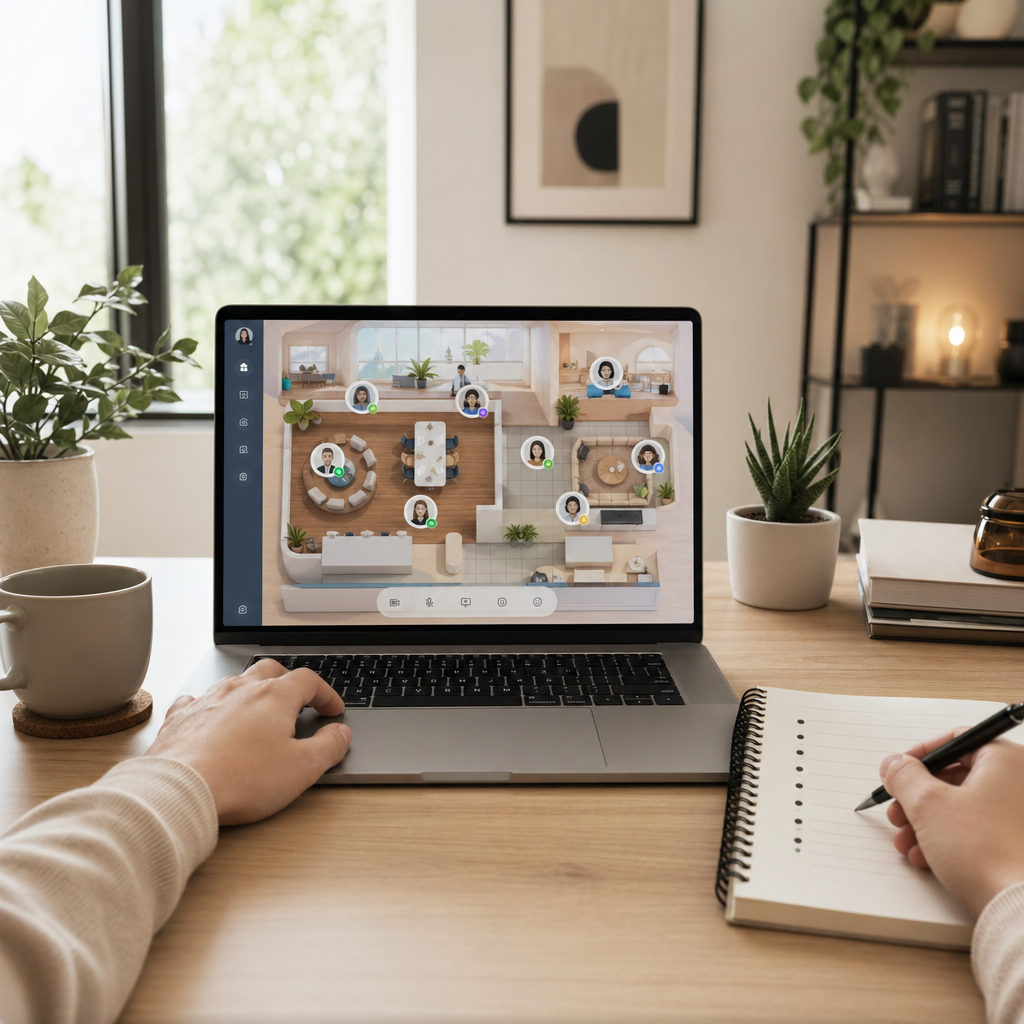
To optimize these workflows, many organizations integrate their design collaboration software with virtual office platforms like Hurbly.ai. While the design tool handles the technical assets, a presence platform helps team members see who is currently active and available for a quick sync. Combining design collaboration software with real-time visibility ensures that spontaneous brainstorming sessions can happen as naturally as they would in a physical studio. This synergy prevents the creative friction often caused by waiting hours for a response on a critical design iteration.
Key Features of Professional Design Collaboration Software
Selecting the right design collaboration software requires an understanding of specific technical requirements that support high-level output. Most professional-grade tools offer a suite of features designed to handle complex visual data while maintaining user accessibility.
- Real-time Co-authoring: Multiple users can edit the same document without overwriting each other's work.
- Version History: The ability to track changes and revert to previous iterations if a design direction needs to be changed.
- Prototyping Tools: Many design collaboration software options allow users to create interactive mockups that simulate the final user experience.
- Asset Management: Centralized libraries for fonts, icons, and brand guidelines to ensure consistency across all deliverables.
- Role-based Permissions: Controlling who can view, comment on, or edit specific files to maintain security and project integrity.
When these features are utilized within a dedicated design collaboration software, the speed of delivery increases significantly. Teams can move from a wireframe to a high-fidelity prototype within a single environment, keeping the momentum of the project high and reducing the overhead of switching between different applications.
Improving Remote Team Synergy in 2026
As of 2026, the distinction between local and remote work has blurred, making design collaboration software an essential utility rather than a luxury. The relevance of this software lies in its ability to foster a shared creative culture regardless of physical location. By using design collaboration software, teams can conduct "design sprints" where everyone contributes in a focused burst of activity, leading to faster problem-solving and more innovative results.
For teams looking to maximize their efficiency, pairing their design collaboration software with Hurbly.ai provides a comprehensive digital workspace. While the design collaboration software acts as the canvas for the work, the presence platform acts as the office floor, showing who is "at their desk" and ready to collaborate. This setup is particularly relevant for distributed teams that need to maintain high levels of engagement without the fatigue of constant, scheduled video meetings.
Comparison of Design Collaboration Software Capabilities
| Feature | Standard Design Collaboration Software | Advanced Design Collaboration Software |
|---|---|---|
| User Capacity | Limited to small teams | Scalable for enterprise-level organizations |
| Integration | Basic file exporting | Deep API hooks and workflow automation |
| Feedback | General text comments | Video comments and annotated overlays |
| Security | Standard encryption | SSO, advanced audit logs, and private cloud options |
Choosing the appropriate design collaboration software depends on the complexity of the projects and the size of the team. Smaller studios might prioritize ease of use and quick setup, while larger firms require design collaboration software that offers robust administrative controls and detailed permission settings. Regardless of the scale, the core objective remains the same: to provide a unified space where creativity can flourish through seamless technical cooperation.
Integrating Design Collaboration Software into Daily Operations
Implementing a new design collaboration software involves more than just purchasing a subscription; it requires a shift in how a team communicates. Successful adoption usually follows a structured process:
- Audit Current Tools: Identify where communication gaps exist in the current workflow.
- Define Requirements: List the specific needs, such as mobile access or specific file format support, required from the design collaboration software.
- Pilot Program: Test the design collaboration software on a single project to evaluate its impact on productivity.
- Team Training: Ensure all stakeholders understand how to use the feedback and versioning features effectively.
- Continuous Optimization: Regularly review how the design collaboration software is being used and adjust workflows to eliminate any remaining bottlenecks.
By following these steps, companies can ensure that their investment in design collaboration software yields tangible improvements in project timelines and creative quality. When combined with tools like Hurbly.ai to manage team presence, the result is a highly responsive and transparent digital environment that supports the demanding needs of modern design professionals.

