Enhancing Team Communication and Presence in Google Chat
In this article

Enhancing Team Communication and Presence in Google Chat
The modern workplace in 2026 relies heavily on digital environments where team members are often distributed across different time zones. Google Chat serves as a central hub for these interactions, providing a structured space for messaging and file sharing. However, the challenge for many remote teams is maintaining a sense of shared physical presence. By integrating advanced presence tools, teams can transform Google Chat from a simple messaging tool into a dynamic workspace where availability is transparent and spontaneous collaboration becomes the norm rather than the exception.
Effective communication within Google Chat requires more than just the ability to send text. It involves understanding the context of a colleague's workday. When users can see who is currently available, deeply focused on a task, or occupied in a meeting, they can make better decisions about when to initiate a conversation. This transparency reduces the "ping fatigue" often associated with Google Chat by ensuring that interruptions only occur at appropriate times, thereby respecting the workflow of every team member.
Integrating Real-Time Presence for Better Collaboration
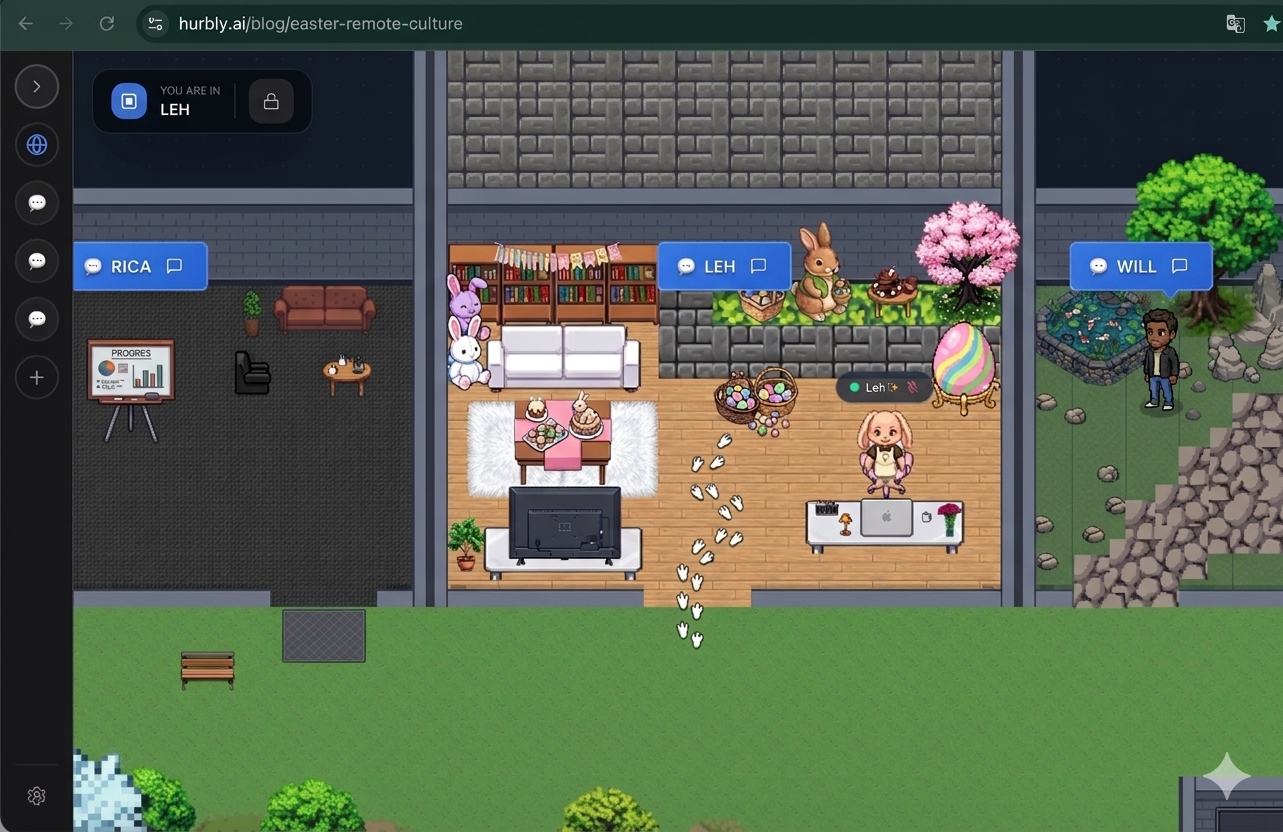
To bridge the gap between physical offices and digital spaces, platforms like Hurbly.ai offer specialized virtual office features that complement Google Chat. These features allow users to see real-time indicators of their coworkers' status. Instead of guessing if a teammate is at their desk, the integration provides a visual map of team activity. This data can be synchronized with Google Chat to ensure that status updates are accurate and reflect the actual engagement level of the user, whether they are in a deep-work session or open for a quick chat.
When using Google Chat alongside a dedicated presence platform, the barrier to starting a conversation is significantly lowered. In a traditional setup, a simple question might require scheduling a formal video call. With real-time presence, a user sees a colleague is free and initiates a quick interaction directly within Google Chat. This mimics the "watercooler" effect of a physical office, where brief, unplanned discussions often lead to significant breakthroughs and faster problem-solving.
Optimizing Workflow and Reducing Meeting Fatigue
One of the primary goals of using Google Chat in 2026 is to minimize the reliance on unnecessary, pre-scheduled meetings. By utilizing a virtual office environment, teams can handle minor queries through instant engagement. This approach keeps Google Chat channels organized and focused on relevant project discussions. Below is a comparison of how team interactions change when presence data is integrated into the workflow:
| Interaction Type | Standard Messaging Approach | Presence-Enabled Approach |
|---|---|---|
| Quick Questions | Send message and wait indefinitely for a reply. | Check status, then send message to an available peer. |
| Complex Syncs | Schedule a 30-minute meeting days in advance. | Identify a window of mutual availability for a quick huddle. |
| Deep Work | Constant interruptions from incoming notifications. | Set a "Focused" status that silences notifications automatically. |
| Team Bonding | Forced "virtual happy hours" that feel unnatural. | Spontaneous "drop-ins" for social interaction when free. |
By shifting the culture toward visibility, Google Chat becomes a more powerful tool for high-performance teams. The ability to see "who is in the room" creates a psychological connection that text alone cannot provide. This is particularly relevant for freelancers and distributed organizations that need to maintain a cohesive culture without a central physical headquarters.
Steps to Implement a Presence-First Strategy
Transitioning to a presence-first communication model in Google Chat involves a few strategic steps. It is not just about the technology but also about how the team agrees to interact within the digital space.
- Define Status Standards: Establish what different status indicators mean within your Google Chat environment to ensure everyone interprets "Busy" or "Away" the same way.
- Adopt Presence Tools: Utilize Hurbly.ai to provide a visual layer of who is online, allowing for a more intuitive understanding of team dynamics.
- Encourage Spontaneity: Shift the team mindset away from scheduling every interaction and toward using Google Chat for immediate, brief huddles when colleagues are visible and available.
- Monitor Engagement: Use the data provided by presence indicators to balance workloads and ensure no single team member is being overwhelmed by constant requests.
As teams continue to evolve, the integration of real-time presence into Google Chat will remain a critical factor in maintaining productivity. By providing a clear view of team availability, organizations can foster a more connected, transparent, and efficient working environment. This evolution ensures that Google Chat remains at the heart of the digital transformation, supporting fluid collaboration across any distance.
Enhancing Remote Transparency and Trust
Trust is the foundation of any successful remote team, and transparency is the key to building that trust. When a manager or peer opens Google Chat, having immediate access to the team's current state prevents micromanagement. Instead of asking "Are you there?", the presence data provides the answer. This creates a more professional atmosphere where results are prioritized over constant check-ins.
Furthermore, the use of Google Chat in a presence-enabled environment supports better mental health. When a user logs off or sets their status to "Private," the visual office reflects their absence clearly. This helps set boundaries between work and personal life, a common struggle in remote work scenarios. By making these boundaries visible to everyone in Google Chat, the entire team learns to respect off-hours, leading to a more sustainable and healthy work-life balance for everyone involved.

