Optimizing Team Collaboration with Google Workspace and Virtual Presence
In this article

Optimizing Team Collaboration with Google Workspace and Virtual Presence
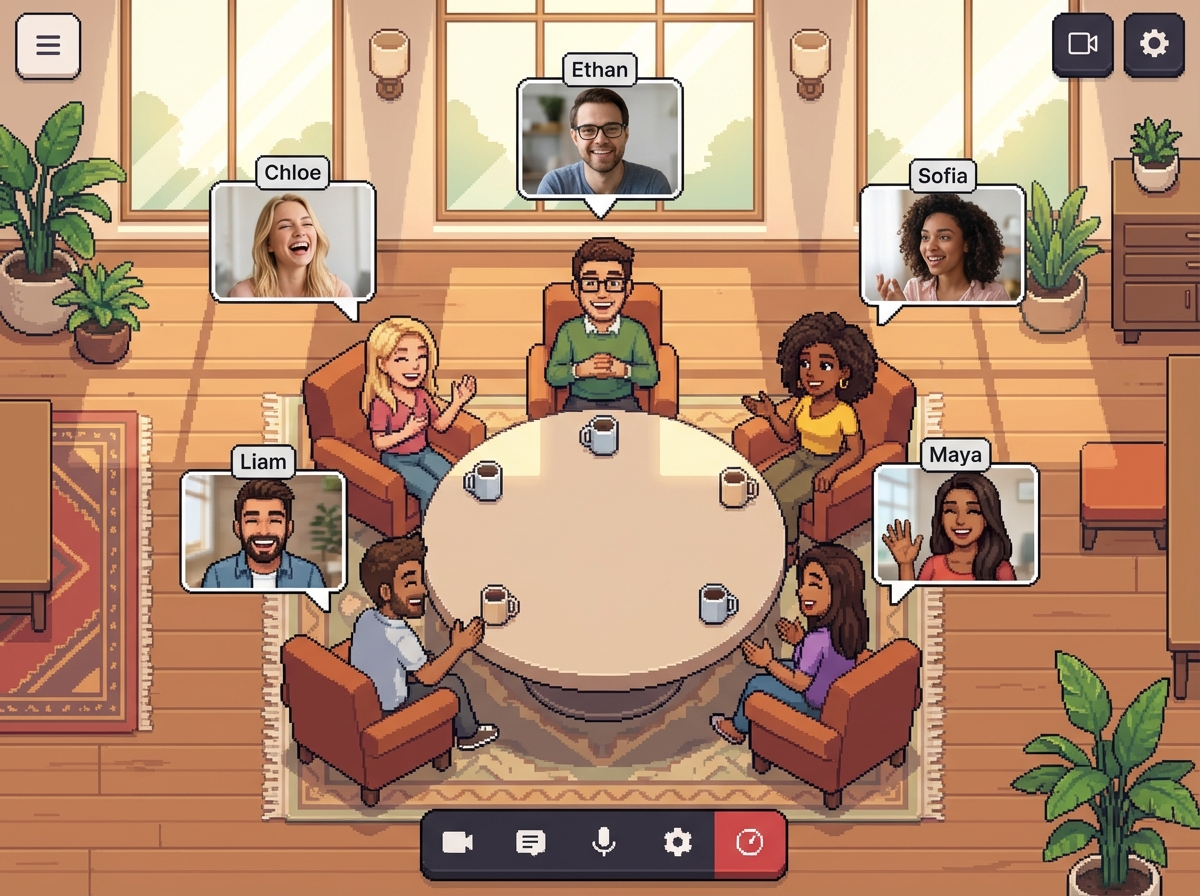
The modern professional landscape in 2026 relies heavily on integrated digital environments. For teams operating remotely or in hybrid models, the Google Workspace ecosystem serves as the foundational layer for document creation, scheduling, and communication. However, while tools like Drive and Docs manage information, they often lack the immediate visual cues of a physical office. Integrating a virtual office layer allows teams to see who is available for a quick chat or deeply focused on a task, bridging the gap between static files and real-time human interaction.
Effective collaboration requires more than just shared folders. When a team utilizes Google Workspace, they gain access to a centralized hub for productivity, but the social friction of "Is this person busy?" remains. Platforms like Hurbly.ai address this by providing real-time presence indicators. This visibility ensures that when you see a colleague active in a shared document within your Google Workspace, you can instantly know if they are open to a spontaneous conversation or if they are currently in a meeting, reducing unnecessary interruptions.
Enhancing Productivity Through Real-Time Visibility
Managing a distributed workforce involves balancing deep work with the need for immediate feedback. Within the Google Workspace environment, users often move between different applications to complete complex projects. By adding a layer of transparency, team members can observe "presence states" such as "Focused," "Available," or "In a Meeting." This data-driven approach to availability prevents the "ping fatigue" often associated with traditional messaging apps, as colleagues only reach out when the status indicator suggests it is appropriate.
The integration of presence technology with your Google Workspace workflow creates a more fluid professional rhythm. Instead of sending a message and waiting hours for a reply, you can time your interactions based on actual availability. This synergy between Google Workspace tools and live presence tracking helps maintain the momentum of a project. For instance, if you are reviewing a spreadsheet in Google Workspace, seeing a collaborator's "Available" status allows for a quick five-minute sync that might replace a thirty-minute scheduled call later in the week.
Key Features of Integrated Virtual Offices
To maximize the utility of Google Workspace, teams are increasingly adopting virtual office platforms that replicate the spontaneous nature of a physical workspace. These platforms focus on several core functionalities:
- Real-Time Status Indicators: Visual cues that show if a user is active, away, or in a "Do Not Disturb" mode.
- Instant Audio/Video Zones: Dedicated digital spaces where users can jump in for a quick talk without generating a link.
- Contextual Awareness: Knowing which project or client a teammate is currently assisting, which complements the collaborative nature of Google Workspace.
- Reduced Scheduling Overhead: Eliminating the need to check calendars constantly by seeing live availability.
| Feature | Impact on Remote Teams | Relation to Google Workspace |
|---|---|---|
| Live Presence | Reduces communication friction | Complements "Active" status in editors |
| Spontaneous Chat | Increases speed of resolution | Replaces long email threads |
| Focus Modes | Protects deep work time | Syncs with calendar availability |
| Team Map | Boosts sense of belonging | Visualizes the organizational structure |
Streamlining Communication Workflows in 2026
The evolution of the digital office has led to a more structured yet flexible way of working. By using Google Workspace as the primary engine for content and data, and Hurbly.ai as the social and presence layer, organizations can achieve a high level of operational efficiency. This combination ensures that the technical aspects of work—such as file permissions and version control within Google Workspace—are handled alongside the human aspects of work, like knowing when a teammate needs help or a break.
The process of transitioning to a presence-aware culture typically follows these steps:
- Audit Current Tools: Identify how often team members use Google Workspace for daily tasks.
- Define Presence Norms: Establish what different status indicators mean for your specific team culture.
- Integrate Platforms: Ensure that your virtual office platform works alongside your Google Workspace calendar to automate status updates.
- Monitor Engagement: Observe how spontaneous interactions affect the speed of project completion within your shared drives.
Why Real-Time Presence Matters for Distributed Teams
For freelancers and large organizations alike, the isolation of remote work can lead to silos. While Google Workspace provides the tools to break down information silos, virtual office platforms break down social silos. When you can see your team "sitting" together in a digital space, the psychological barrier to collaboration drops. This is particularly relevant when multiple people are editing the same file in Google Workspace, as it transforms a solitary task into a shared experience.
Maintaining a high-performance culture in 2026 requires tools that respect a user's time. Because Google Workspace is so pervasive, the ability to signal "Focus Mode" is essential to prevent burnout. By using a presence-based platform, you can signal to your team that while you are active in Google Workspace, you are not currently "interruptible." This level of nuance is what separates modern, high-functioning remote teams from those struggling with digital exhaustion.
Future-Proofing Your Digital Environment
As we look further into 2026, the reliance on automated and intelligent workspaces will only grow. The data generated by how teams interact within Google Workspace and their virtual office provides insights into workflow bottlenecks. For example, if a team spends too much time in meetings and not enough time in "Available" states, leadership can adjust project timelines. Hurbly.ai facilitates this by making the invisible visible, ensuring that the human element of the Google Workspace experience is never lost.
Ultimately, the goal of integrating these technologies is to create a frictionless environment where information flows freely and people feel connected. By leveraging the robust infrastructure of Google Workspace and the real-time connectivity of a virtual office, teams can achieve a level of synergy that rivals, and often exceeds, that of a traditional brick-and-mortar office. This holistic approach ensures that every member of the team, regardless of their physical location, has the tools and the visibility they need to succeed.

