Maximizing Team Creativity with Online Brainstorming Tools in 2026
In this article

Maximizing Team Creativity with Online Brainstorming Tools in 2026
Effective collaboration in remote environments depends heavily on how teams generate and organize ideas. Online brainstorming tools serve as digital canvases where distributed groups can gather to solve complex problems in real-time. These platforms replace physical whiteboards with interactive spaces that allow for simultaneous input, ensuring that every team member has a voice regardless of their physical location. By utilizing these digital environments, organizations can maintain a high pace of innovation without the constraints of a traditional office setting.
When teams integrate Online brainstorming tools into their daily workflows, they transition from static communication to dynamic problem-solving. These tools typically offer features like digital sticky notes, mind mapping, and live sketching, which help in visualizing abstract concepts. This visual approach makes it easier to identify patterns, dependencies, and potential roadblocks during the early stages of a project. As a result, the transition from ideation to execution becomes more fluid and data-driven.
Key Features of Effective Online Brainstorming Tools
Modern Online brainstorming tools are designed to facilitate both synchronous and asynchronous collaboration. A primary feature is real-time synchronization, which ensures that any change made by one user is immediately visible to everyone else. This creates a shared sense of presence, similar to standing around a whiteboard. Furthermore, many Online brainstorming tools include voting systems and timers to keep sessions productive and focused on reaching a consensus within a specific timeframe.
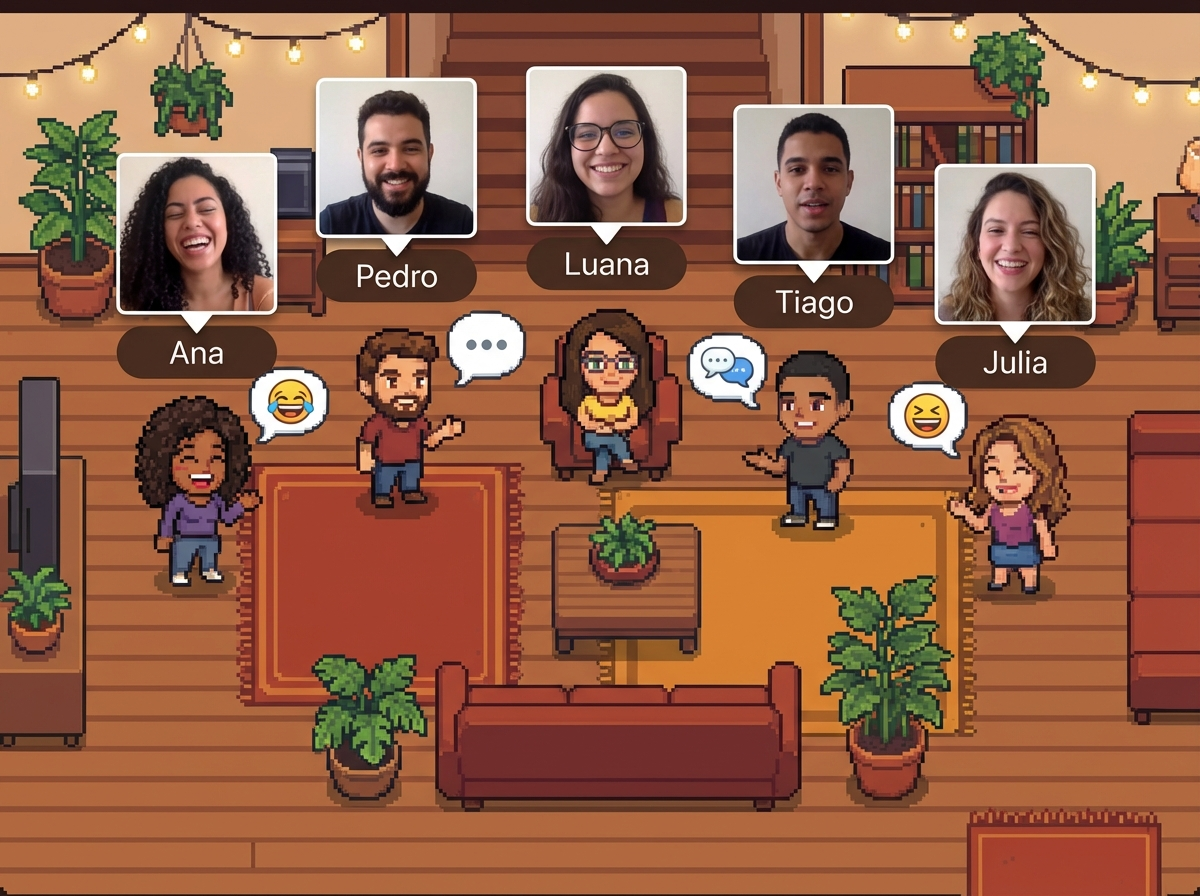
Beyond simple ideation, these platforms often provide structured templates for specific methodologies, such as SWOT analysis or Agile retrospectives. Using Online brainstorming tools with predefined frameworks helps teams stay organized and prevents the "blank page" syndrome. These templates guide the flow of conversation, ensuring that all necessary aspects of a topic are explored. For teams looking to enhance this sense of shared space, Hurbly.ai provides a virtual office environment that complements these tools by showing exactly who is available to join a spontaneous session.
How Online Brainstorming Tools Improve Remote Workflows
The adoption of Online brainstorming tools significantly reduces the friction associated with remote coordination. In a physical office, a quick huddle can happen instantly; in a digital space, Online brainstorming tools replicate this by providing a central hub for creative input. This reduces the need for long, repetitive email chains or fragmented messaging threads. Instead, all relevant ideas are captured in a single, persistent digital location that can be referenced later.
To get the most out of these platforms, teams should follow a structured process:
- Define the Objective: Clearly state the problem or goal at the top of the digital workspace.
- Individual Ideation: Allow members to add thoughts privately using Online brainstorming tools to avoid groupthink.
- Group Review: Discuss the contributed ideas as a collective to find common themes.
- Categorization: Use the organizational features of Online brainstorming tools to group similar concepts.
- Action Mapping: Convert the best ideas into actionable tasks with assigned owners.
Comparing Traditional and Digital Brainstorming Methods
| Feature | Traditional Brainstorming | Online Brainstorming Tools |
|---|---|---|
| Accessibility | Limited to people in the room | Accessible globally via web/app |
| Space | Limited by physical board size | Infinite digital canvas |
| Documentation | Requires photos or manual transcription | Automatic saving and export options |
| Participation | Often dominated by loudest voices | Anonymous input options promote equity |
| Persistence | Boards are often erased for next use | Permanent records for future reference |
Choosing the right Online brainstorming tools depends on the specific needs of the project. Some teams require high-fidelity design capabilities, while others prioritize simple text-based organization. Regardless of the specific software, the goal remains the same: to foster an environment where creativity is not hindered by distance. Integrating these platforms with a presence-aware system like Hurbly.ai ensures that the right people are invited to the session at the right time, maximizing the utility of Online brainstorming tools.
Enhancing Real-Time Engagement and Participation
One of the greatest challenges in remote work is maintaining the spontaneous energy of a live session. Online brainstorming tools address this by incorporating interactive elements like emojis, reactions, and live cursors that show exactly where a teammate is focusing. This level of transparency keeps participants engaged and accountable. When users see their colleagues moving elements around in Online brainstorming tools, it reinforces the feeling of active, collective effort.
Furthermore, Online brainstorming tools allow for non-linear thinking. Unlike a document that follows a strict top-to-bottom format, these tools allow teams to branch out in multiple directions simultaneously. This is particularly useful for complex product development or strategic planning where multiple factors must be considered at once. By leveraging Online brainstorming tools, teams can map out entire ecosystems of ideas, making it easier to see the "big picture" while still attending to the smallest details of a project.
Strategies for Successful Virtual Ideation Sessions
To ensure that Online brainstorming tools are used effectively, facilitators should set clear ground rules. This includes setting a specific duration for the session and ensuring that everyone is familiar with the interface of the chosen Online brainstorming tools. Encouraging the use of visual aids, such as images or icons within the tool, can also help clarify complex points more quickly than text alone.
Finally, the integration of Hurbly.ai can further streamline this process by showing which team members are currently in a "focused" state or available for a quick chat. This prevents interruptions and ensures that when a team gathers in their Online brainstorming tools, they are fully present and ready to contribute. By combining real-time presence indicators with powerful Online brainstorming tools, remote teams can achieve a level of synergy that rivals, or even surpasses, traditional in-person collaboration.

