Effective Team Presence and Virtual Office Strategies Using Zoom Alternatives in 2026
In this article

Effective Team Presence and Virtual Office Strategies Using Zoom Alternatives in 2026
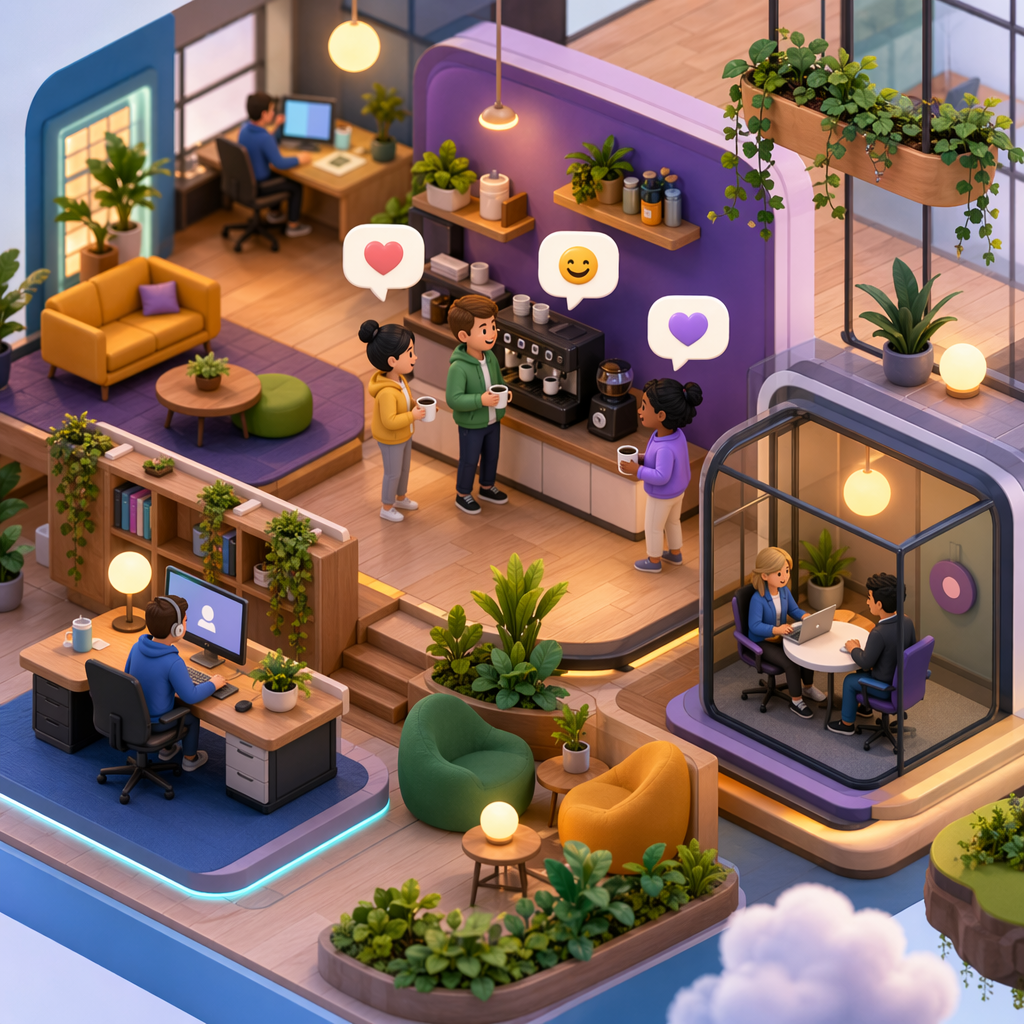
In 2026, the landscape of remote work has shifted from periodic video calls to continuous, real-time presence. Many organizations are moving away from traditional scheduled meetings and are actively seeking Zoom alternatives that can replicate the spontaneous nature of a physical office. These platforms provide a digital environment where team members can see each other's status, such as whether someone is currently in a deep work session, available for a quick chat, or participating in a meeting.
The primary goal of these Zoom alternatives is to reduce the friction associated with communication. Instead of sending a message to ask if someone is free and then waiting for a reply to schedule a call, users can look at a visual dashboard. This real-time visibility allows for instant conversations that mirror the "desk-side" chats found in traditional workspaces. By using Hurbly.ai, teams can maintain this level of transparency without the overhead of constant administrative coordination.
How Virtual Office Platforms Differ from Traditional Meeting Tools
Traditional communication software often relies on a "start-stop" mechanic where a meeting must be created, a link shared, and participants invited. In contrast, modern Zoom alternatives focus on a persistent digital space. These platforms stay active throughout the workday, providing a constant stream of information regarding team availability. This shift helps eliminate "meeting fatigue," as interactions become shorter and more frequent rather than long and exhausted.
When evaluating various Zoom alternatives, it is important to understand the technical differences in how they handle presence. Some tools use simple status icons, while others create a full 2D or 3D map of an office. The most effective Zoom alternatives prioritize low-latency audio and visual cues that tell you exactly when a colleague is "in the room." This allows for a more fluid transition between individual tasks and collaborative efforts.
| Feature | Traditional Video Tools | Virtual Office Platforms (Zoom alternatives) |
|---|---|---|
| Connection Type | Scheduled/On-demand | Always-on/Persistent |
| Availability | Hidden until called | Real-time visual indicators |
| Interaction | Formal meetings | Spontaneous "drop-ins" |
| Primary Use | Presentations/Interviews | Daily collaboration/Team presence |
| Workflow | Disruptive (requires context switching) | Integrated (part of the workspace) |
Key Benefits of Real-Time Presence for Remote Teams
Remote and distributed teams often face challenges regarding isolation and lack of transparency. By implementing Zoom alternatives that emphasize presence, managers can see the pulse of the team without micromanaging. For example, Hurbly.ai enables users to signal when they are in "focus mode," which naturally discourages interruptions during critical tasks. This creates a balanced environment where deep work and collaboration coexist.
The use of Zoom alternatives also supports better mental health for remote workers. Seeing colleagues "present" in a digital space reduces the feeling of working in a vacuum. Furthermore, because these Zoom alternatives facilitate quick, two-minute syncs, the need for hour-long video conferences decreases significantly. This efficiency is a major reason why many companies are restructuring their digital stacks to include presence-based software.
Implementing Presence Tools for Freelancers and Distributed Groups
Freelancers and small distributed groups often require high levels of flexibility. For these users, Zoom alternatives serve as a bridge between total independence and team integration. A freelancer can log into a virtual office to show they are "at their desk," making them more accessible to clients or partners for urgent queries. This accessibility often leads to faster project completion and fewer misunderstandings.
- Assess Communication Gaps: Identify if your team suffers from too many scheduled meetings or a lack of spontaneous talk.
- Select a Presence Tool: Choose among Zoom alternatives that offer clear status indicators (Available, Busy, Away).
- Define Status Etiquette: Establish clear rules for what each status means to ensure everyone respects "focus" time.
- Integrate with Daily Workflow: Ensure the platform, such as Hurbly.ai, is open throughout the workday to maximize visibility.
- Monitor Engagement: Observe if the frequency of short, informal interactions increases while long meetings decrease.
Future Trends in Virtual Collaboration and Presence
The evolution of Zoom alternatives in 2026 is driven by the need for more human-centric technology. As teams become more global, the ability to navigate time zones through visual presence becomes vital. Modern Zoom alternatives now include features that automatically adjust status based on the user's local time and calendar events, ensuring that colleagues always have an accurate view of who is online.
As the market for Zoom alternatives matures, the focus remains on reducing the "digital distance" between employees. Whether a team is composed of five people or five hundred, tools like Hurbly.ai provide the infrastructure needed to maintain a cohesive culture. By prioritizing real-time visibility and instant engagement, these platforms ensure that remote work remains as productive and connected as any physical office environment. Choosing the right Zoom alternatives is no longer just about video quality; it is about how well the software supports the natural rhythm of human interaction.

