Effective Strategies for Managing Presence in Zoom Meetings
In this article

Effective Strategies for Managing Presence in Zoom Meetings
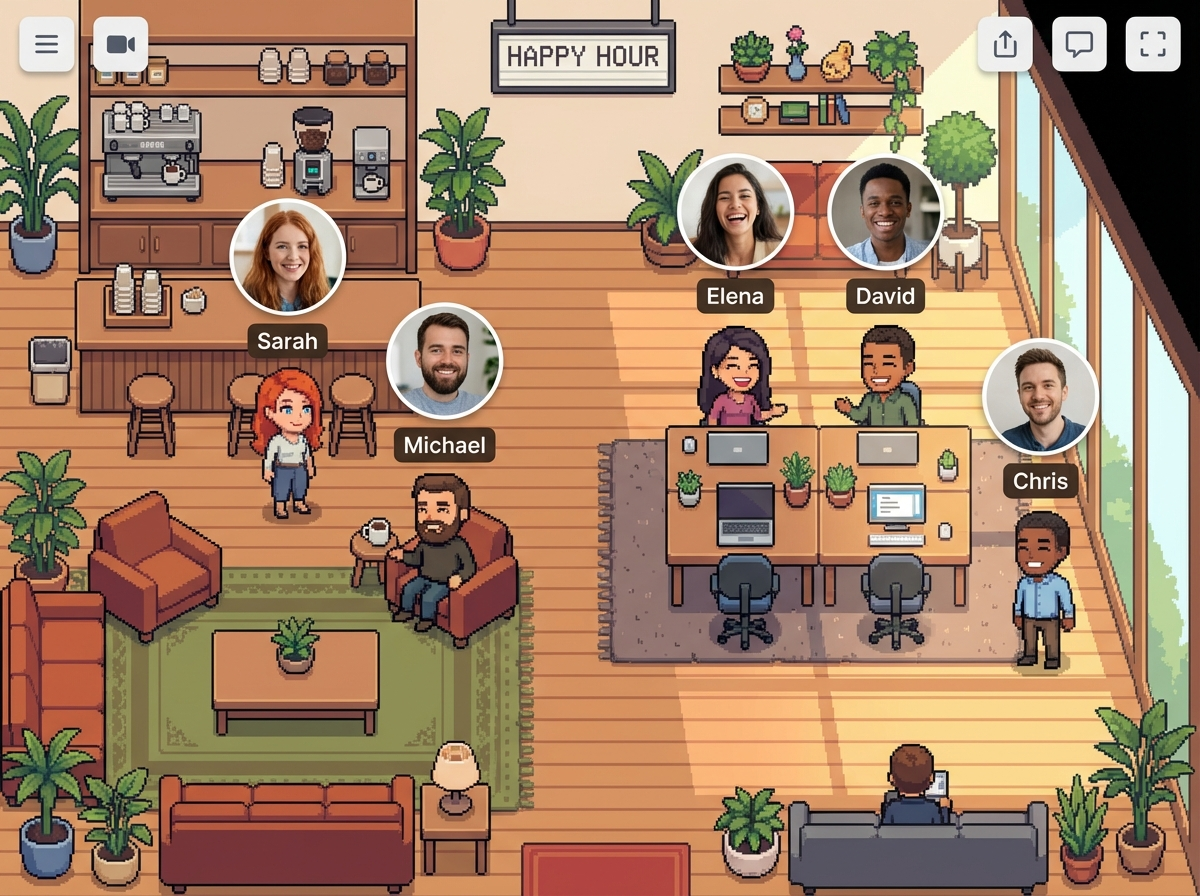
In 2026, remote work has evolved beyond simple video calls to a more integrated digital environment. Maintaining team cohesion requires a balance between structured communication and spontaneous interaction. While Zoom meetings serve as the primary tool for scheduled discussions, understanding the availability of your colleagues before initiating a call is essential for productivity. Tools like Hurbly.ai help bridge this gap by providing real-time presence indicators, allowing team members to see who is currently available or occupied before they decide to launch their next Zoom meetings.
Effective communication starts with knowing when to interrupt. In a traditional office, you can see if a colleague is wearing headphones or talking to someone else. In a digital workspace, this visibility is often lost, leading to unnecessary interruptions or missed opportunities for collaboration. By integrating presence data, teams can determine if a colleague is free for a quick chat or if they are already engaged in Zoom meetings, which prevents the friction of declined invites and fragmented workflows.
Optimizing Team Collaboration and Workflow
Managing a distributed team involves more than just scheduling. It requires a clear understanding of the team's rhythm throughout the day. When team members can visualize each other's status, they can better coordinate their tasks. For instance, if a developer sees that a project manager has just finished one of their Zoom meetings, they can reach out immediately for a quick clarification instead of waiting hours for an email response. This fluid interaction mimics the "walk-up" culture of physical offices, making digital collaboration feel more natural and less bureaucratic.
The use of real-time presence technology significantly reduces the cognitive load of coordination. Instead of constantly checking calendars, employees can glance at a dashboard to see the live status of their peers. If the dashboard shows several team members are currently in Zoom meetings, it signals a period of high activity where deep focus or synchronized discussion is occurring. This transparency ensures that everyone stays aligned with the team's current objectives without the need for constant status updates or "Are you free?" messages.
Enhancing Remote Interactions with Real-Time Data
Successful remote teams prioritize asynchronous work but recognize the value of synchronous moments. High-quality Zoom meetings are most effective when they are necessary and well-timed. By using platforms like Hurbly.ai, organizations can foster an environment where spontaneous conversations happen naturally. When you see a coworker is available and not tied up in Zoom meetings, a quick audio or video interaction can often resolve issues faster than a long thread of text messages, leading to quicker decision-making and reduced project timelines.
To maintain high levels of engagement, it is helpful to categorize different types of digital presence. This categorization helps in deciding whether to send a message or start a call.
| Status Type | Meaning | Recommended Action |
|---|---|---|
| Available | Ready for interaction | Start a quick conversation or call |
| Focused | Deep work mode | Send an asynchronous message |
| In Meeting | Currently in Zoom meetings | Wait until the status changes to available |
| Away | Not at the computer | Leave a message for later review |
Reducing Meeting Fatigue in Distributed Teams
One of the biggest challenges in 2026 remains "meeting fatigue." This occurs when the workday is oversaturated with back-to-back Zoom meetings, leaving little time for actual task execution. To combat this, teams must become more intentional about how they use their time. Seeing a colleague's live status allows for "micro-interactions" that can replace a full 30-minute scheduled block. If a quick question can be answered in two minutes because you caught someone between their Zoom meetings, you save time for everyone involved.
Furthermore, the psychological impact of seeing your team "present" cannot be understated. Remote work can often feel isolating, but a visual representation of the team's activity creates a sense of belonging. Knowing that your peers are active, even if they are currently busy in Zoom meetings, reinforces the idea of a shared workspace. This visibility encourages a culture of accountability and mutual support, as team members can easily identify when someone might be overwhelmed with a heavy schedule of Zoom meetings and offer assistance where needed.
Steps to Implement a Presence-First Culture
Transitioning to a presence-based workflow requires a shift in mindset and the right technical setup. Organizations should follow a structured approach to ensure that the adoption of these tools enhances rather than hinders productivity.
- Define Availability Norms: Establish clear expectations for what different status indicators mean within your specific team context.
- Integrate Tools: Connect your presence platform with your communication stack to ensure that when someone starts Zoom meetings, their status updates automatically across all channels.
- Encourage Spontaneity: Empower team members to reach out for quick chats when they see a "free" status, reducing the reliance on formal calendar invites.
- Monitor and Adjust: Regularly review how these interactions affect the frequency and quality of Zoom meetings to ensure the team is becoming more efficient.
By focusing on real-time visibility through Hurbly.ai, teams can navigate their daily schedules more effectively. This approach ensures that when Zoom meetings do happen, they are purposeful and involve participants who are truly available to contribute, rather than being distracted by a cluttered and unpredictable digital environment. Using these strategies, the modern workforce can achieve a more balanced and productive professional life.

